"Contact the retailer" is the InPost status that ends a delivery without saying what happened. It appears in the UK after a locker delivery fails or a parcel sits uncollected, and it points you at the shop you bought from rather than at InPost. This page explains what the status records, the reasons behind it in InPost's own words, where the parcel is now and how long it takes to go back, what the retailer can and cannot do, what to say when you contact them, and how to avoid it on the next order.
Short answer: "Contact the retailer" on InPost means InPost could not complete delivery of your parcel to your pick-up point, or the parcel was not collected within the collection window, and it is on its way back to the sender. InPost's wording for the delivery failure is that it was "unable to deliver the parcel to your pick-up point", possibly "due to a malfunctioning locker or roadworks", and it recommends you "contact your seller/retailer if you wish to repurchase". The retailer, not InPost, holds the contract and arranges the refund or a new order, which is why the status sends you there. Contact them with the order number and the InPost tracking number, and ask for a refund or a reshipment.
What the status records
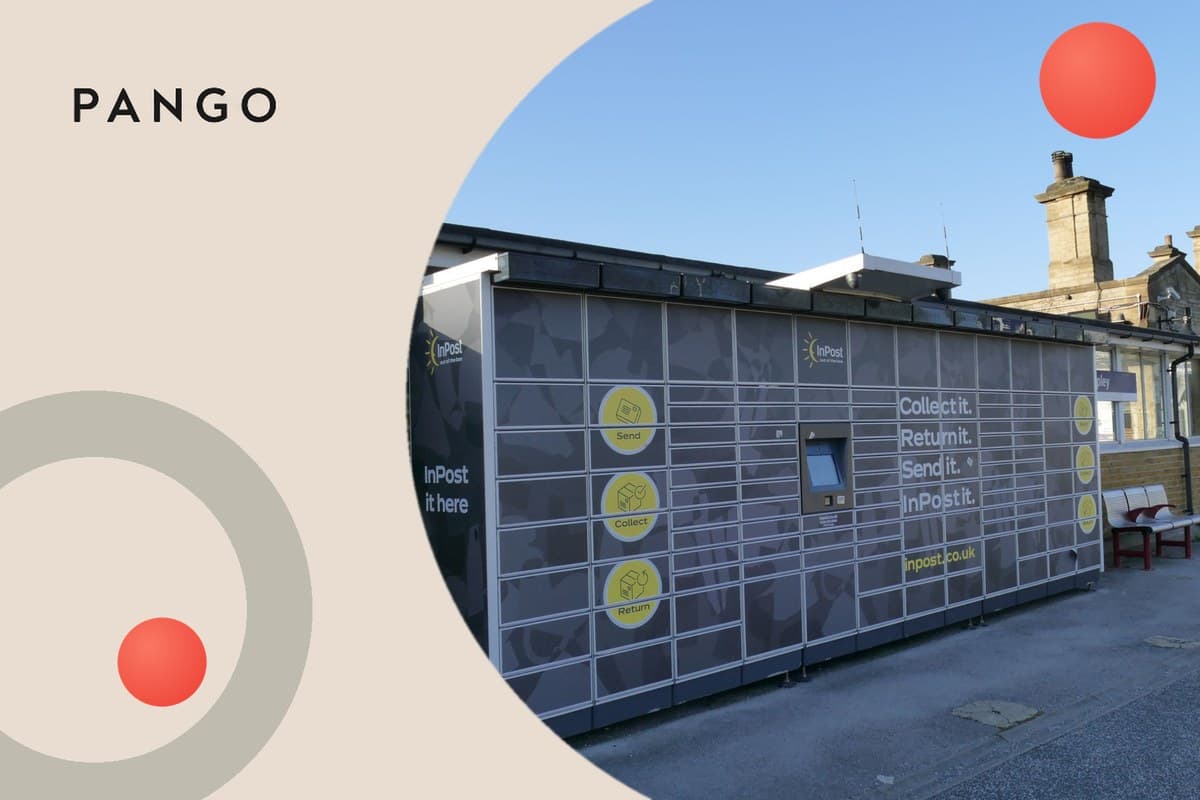
InPost delivers to lockers and shops, and two things can stop a delivery from completing. The first is that the parcel could not be delivered into the locker or shop at all: InPost names a malfunctioning locker and roadworks that prevent safe delivery as examples. The second is that the parcel was delivered to the locker but not collected within the window, which InPost states as three days ("You've got 3 days to collect it"). In both cases the parcel is returned to the sender, and InPost shows "contact the retailer" because the next step is a commercial one between you and the shop.
Why InPost sends you to the retailer, not to InPost
The retailer booked the delivery and holds the contract with InPost; you hold a contract with the retailer. InPost can tell you where the parcel is, but it cannot refund you or send a new one. The retailer can do both, and in most cases the parcel is already on its way back to them. That is also why InPost's own message says to contact the seller "if you wish to repurchase": from InPost's side the delivery is closed.
The two cases, side by side
| What happened | What you saw before | Where the parcel is now | What to ask the retailer for |
|---|---|---|---|
| Delivery to the locker or shop failed (locker fault, roadworks, access) | "It's close, stay tuned" or "on its way to the locker", then "contact the retailer" with no "ready for collection" | Going back to the sender | A reshipment to a different pick-up point or a home address, or a refund |
| Delivered to the locker, not collected in 3 days | "Ready for collection" with a code, then "returned to sender" or "contact the retailer" | Collected from the locker by InPost and going back to the sender | A refund, or a new order; ask whether a reshipment is possible before the return reaches them |
The collection-window case is the common one, and it is the one you can prevent: the collection code can be shared with a friend or family member if you cannot get to the locker yourself, which InPost itself recommends.
How long the return takes
InPost publishes that returns parcels should be back with the retailer within five working days. A returned delivery follows the same road, so expect the retailer to have the parcel within about a week of the status appearing; the retailer's own policy decides whether the refund is issued when the parcel arrives or earlier. If the retailer offers a reshipment, it is usually faster to accept it than to wait for the return to complete and reorder.
What to say to the retailer
- Give the order number and the InPost tracking number, and the date the status appeared.
- Say which case it is: the parcel never showed "ready for collection" (delivery failed), or it did and you missed the window.
- Ask for what you want: a reshipment to a different locker, a shop or your home address, or a refund.
- Ask when the refund or reshipment will be triggered: on the return's arrival, or now.
If the retailer says they have no record of the return, give them the tracking number; InPost's returns scans are visible to them as the sender.
How to avoid it next time
Choose a locker or shop you pass daily, watch for the "ready for collection" notification, collect within three days, and share the code with someone else if you cannot. If the locker you chose has been faulty, pick a different one at the next checkout. The whole InPost sequence, from "it's close, stay tuned" to the locker codes and deadlines, is in InPost tracking statuses; what a return to sender means for your order and refund in general is in package returned to sender meaning.
For merchants
"Contact the retailer" is a status that lands in your inbox by design: InPost closes the delivery and hands the customer to you. The ticket is predictable ("it says contact the retailer, where is my parcel") and so is the cost, a return you did not want, a refund or a second shipment, and a customer who blames the shop rather than the locker. The two levers are the collection reminder before the three-day window closes, and a reshipment offer the moment the return scan appears rather than when the parcel reaches the warehouse. Pango normalises InPost's statuses, with those of every other connected carrier, onto one plain milestone set on the brand's own tracking page, sends the collection-deadline message when the locker scan arrives, and turns a return-to-sender scan into a message with the reshipment or refund choice instead of leaving the customer to search. If you ship to lockers and shops in the UK and want to see how many of your parcels time out, the UK carrier guide is shipping to the UK for ecommerce brands and the software category to compare is carrier management software.
The bottom line
"Contact the retailer" means the InPost delivery is over and the parcel is going back. Contact the shop with the order and tracking numbers, say whether the delivery failed or you missed the window, and ask for a reshipment or a refund; next time, collect within three days or share the code.